Mobile Banking Made Easy
With our mobile banking app, Crosshaven Carigaline Credit Union has made it easier for you to manage your 'money on the go' in a way that is convienient to you. This app is available to download via the Google Play Store and Apple App Store.

Accessing & Using The Mobile App
The Mobile App is available to all members who have registered for Online Access. If you haven't already registered for Online Aceess, you can REGISTER HERE.
Once you have completed this online access registration process and have verified that you have access to online banking, getting set up to use our Mobile App is easy. Firstly, please ensure you have a valid, and verified, mobile phone number. If your number is not verified, you can verify it by logging into your Online Banking Account.
Once this is completed, search for our App on the Apple App Store or Google Play Store. Once installed on your mobile device, the first time you log in, you will need to use your Member Number, Date of Birth and Pin. After this initial log in, you will only need to use your PIN when logging in.
Terms & Conditions Apply. For details of our terms and conditions please click here.
Important
Our online app was upgraded in January 2026. This new app has been designed to provide a seemless experience you would expect to get from any mobile banking app.
If you already already have the mobile app on your mobile device and have automatic updates enabled, you should receive the new version automatically. Members without automatic updates will be prompted to upgrade the next time they open the app.
If you encounter any issues with the app, please do not hesitate to contact a member of staff at 021 4831441.

Register today
Our Mobile App is available to all members who have registered for Online Access. Register today and avail of all the benefits of online/mobile banking.
View Account Balances and Transactions
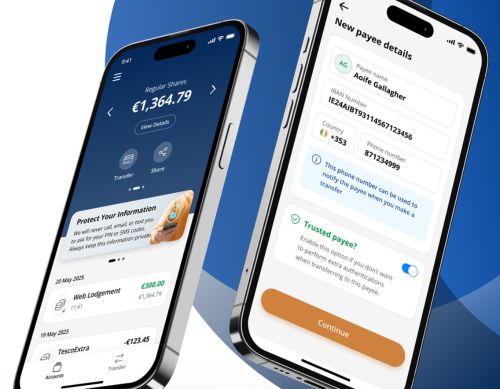
Viewing your Account Balances and recent Transactions is easy. Our Account Balances screen is easy to navigate, and ensures you can be sure to keep track of your spending.
Move Funds with Ease
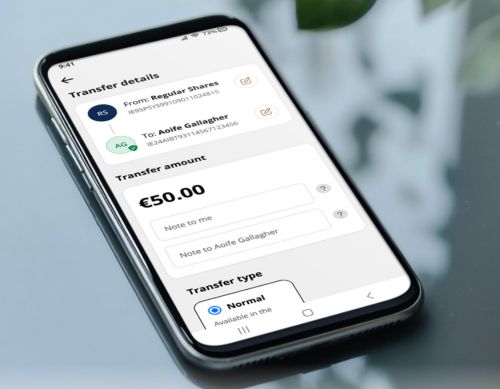
We’ve made it easy for you to transfer money between your Credit Union Accounts, or to an external bank account.
Apply For A Loan
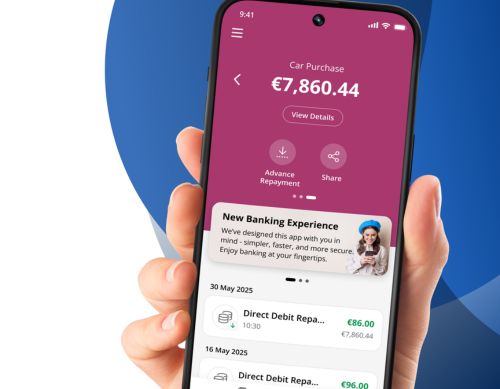
Members can apply for a loan through our Mobile Banking App. By using either the Upload Documents feature or Open Banking, this will help us deliver a loan decision much faster.

Upload Documents
You can now easily upload documents using our app. This excellent feature supports a number of document types, and ensures we can deliver a loan decision to you quickly.


